CONTENTS
mrma
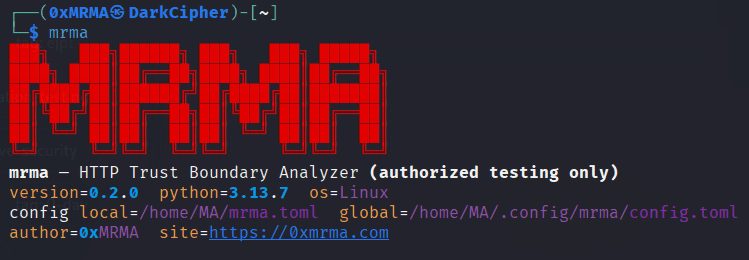
HTTP Trust Boundary Analyzer - replay requests, mutate headers safely, and quantify response influence (authorized testing only).
mrma helps answer: “Does this target trust proxy/host headers or behave differently based on request metadata?”
It focuses on meaningful diffs (not just status/length), plus profiles that model common trust-boundary behaviors.
Start use now: Github.
Install
pipx (recommended)
dev
Note:If your system CA store is broken or you’re testing lab/self-signed certs, use --insecure.
Quick start
1) Baseline fingerprint
2) Find the biggest response deltas (safe mutations)
3) Compare baseline vs a single mutation (diff)
4) Minimal required header set (delta debugging)
5) Minimal header removals that cause a change (ddmin)
Why this is different
Most tooling stops at: status code, length, or manual diffing.
mrma adds:
- Preset-aware normalization (
default,dynamic,nextjs,api-json) - Noise controls:
--ignore-header,--ignore-body-regex - Stability measurement:
run --repeat(great for dynamic targets) - Trust-boundary profiles:
profile proxy-trust(forwarded/proxy headers)profile host-routing(host-related routing headers)
- One-command reporting:
mrma report→mrma_report.json+mrma_report.mdOperational polish:- rate limiting + retries (
--rps,--retries)
Curated packs
List packs:
Proxy trust pack (extended):
Raw request mode (exact reproduction)
Replay a raw HTTP request file:
Discover minimal request from a raw request:
Ignore rules (reduce noise)
Ignore volatile headers:
Ignore noisy dynamic content using regex:
Reporting
Generate a compact report:
Terminal-friendly Markdown viewing (optional):
JSON output
Most commands support --json:
Config
Global config:
~/.config/mrma/config.toml
Local (per-project):
./mrma.toml
Show merged config:
Example:
Tip: disable config for a single run:
Safety and legal
- Use only on targets you are authorized to test.
- These mutations are designed to be low-risk by default, but responsibility is yours.